Mastering Pinterest Pins with Canva Templates
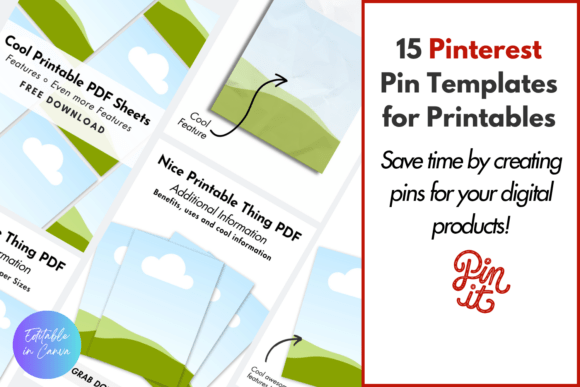
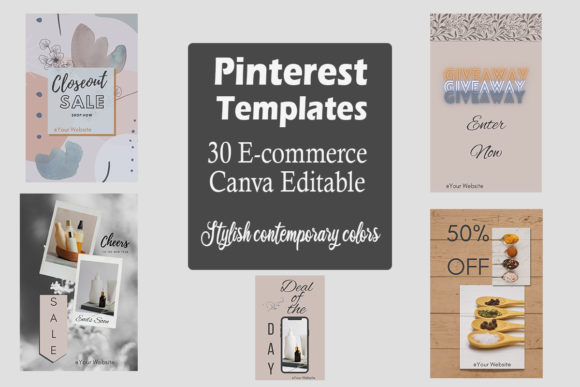
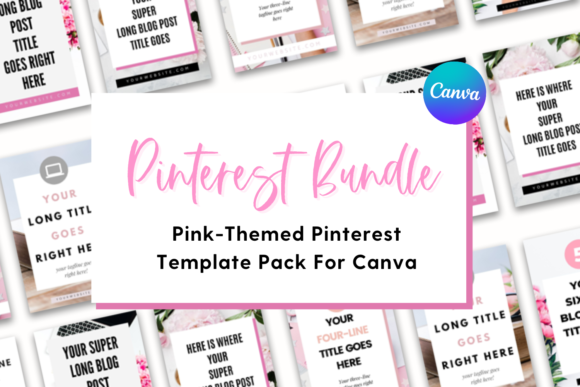
Creating scroll-stopping content for Pinterest requires a blend of visual appeal and strategic formatting. If you are a business owner, blogger, or creative professional, you know that consistency is key to building a recognizable brand. This is exactly where The Template Lounge steps in, offering a solution designed to streamline your workflow. The Pinterest Pin Templates for Canva bundle provides a collection of 40 distinct layouts, centered around a sophisticated pink, white, and gray color palette. This specific aesthetic strikes a balance between professional minimalism and creative warmth, making it a versatile foundation for various industries.
The Strategic Value of Vertical Design Assets
Understanding the technical requirements of the platform is the first step toward success. Pinterest favors vertical content, specifically the 2:3 aspect ratio. These templates are sized at 1000x1500 pixels, which is the optimal dimension for visibility in the feed. By utilizing pre-sized design assets, you eliminate the guesswork associated with layout composition. Instead of starting from a blank canvas, you are working with a framework that already accounts for safe zones and visual balance. This allows you to focus entirely on the message and the imagery rather than the technicalities of pixel dimensions.
The pink, white, and gray theme is not merely a stylistic choice; it is a strategic tool. White space is essential for readability, preventing the design from feeling cluttered. Gray often serves as a neutral bridge, softening the contrast between text and background. Pink introduces a pop of personality without overwhelming the viewer. This combination creates a clean, modern look that aligns well with current web design trends. It suggests a brand that is approachable yet polished.
Customization for a Cohesive Brand Identity
A common challenge for non-designers is maintaining a consistent brand identity across multiple platforms. These Canva templates solve this by offering a structured starting point that is easy to manipulate. Canva’s user-friendly interface means you do not need advanced software skills to make significant changes. You can easily swap out the placeholder text for your own headlines, replace stock photos with your own product shots, and adjust the color scheme to match your specific brand guidelines.
The ability to mix and match pages is a significant advantage. You might find that a specific layout works perfectly for a "Top 10" list, while another is better suited for a quote or a product feature. By having 40 options, you create a library of social media graphics that prevents your feed from looking repetitive. This variety helps in testing different content formats to see what resonates most with your audience. Furthermore, the ability to delete unwanted pages ensures that your final file remains organized and relevant to your specific needs.
Typography and Visual Hierarchy in Templates
While templates provide the structure, typography provides the voice. The fonts included in these designs play a crucial role in establishing visual hierarchy. A well-designed template will separate the headline from the body copy and the call to action, guiding the viewer’s eye naturally from top to bottom. When you customize these templates, pay close attention to the font choices. While the templates come with suggested pairings, you have the freedom to integrate your own serif font or sans serif font selections to align with your brand personality.
Consider the readability of your text overlays. Pinterest images are often viewed on mobile devices, meaning text must be legible at smaller sizes. The layouts provided in this bundle typically prioritize high-contrast areas for text placement, ensuring that your message is not lost against a busy background photo. If you decide to change the background imagery, look for areas of "negative space" or apply a semi-transparent overlay to maintain that legibility. This attention to detail elevates a simple graphic into a professional piece of editorial design.
Practical Applications for Entrepreneurs and Bloggers
The utility of these templates extends beyond simple blog promotion. For entrepreneurs, they can be adapted for packaging design announcements, new product launches, or service descriptions. The clean aesthetic allows the product to be the hero. For bloggers and publishers, these layouts are ideal for highlighting key takeaways from an article, promoting a freebie, or driving traffic to a newsletter signup. The versatility of the "pink and gray" theme means it can be adapted for niches ranging from lifestyle and wellness to finance and productivity.
Think of these templates as a toolkit for your marketing design efforts. Having them on hand means you can react quickly to trends or timely topics without the bottleneck of creating graphics from scratch. Whether you are a crafter sharing a tutorial or a coach sharing a testimonial, the structure is already there waiting for your content. This efficiency is invaluable for small business owners who wear many hats.
Optimizing Your Workflow with Canva
To get the most out of your Pinterest Pin Templates for Canva, establish a workflow. Start by selecting a batch of templates that fit your content calendar for the week. Upload your brand assets—logos, specific hex codes, and preferred fonts—to Canva’s "Brand Kit" or "Styles" section. This allows you to apply your branding to the templates with just a few clicks. Once customized, download them in high-quality PNG format to ensure crisp lines and clear text on the platform.
Remember that consistency builds trust. When a user clicks through to your website from a pin, the visual language should match what they see on your landing page. These templates provide the bridge between your Pinterest strategy and your broader web design aesthetic. By using a cohesive set of graphics, you reinforce your professional image and make your content instantly recognizable in a crowded feed. This is how you turn casual scrollers into engaged followers and customers.